Page 1 of 1
Which are your best tips to draw small things?
Posted: Fri Feb 19, 2016 8:09 pm
by Nowhk
I'm drawing a Meter for my LFO that will show min/max value of it (in my case, 0 and 1). My LFO window/display has not a huge height, so the meter should fit near it. I take the Gauge from "Meter - Positive" module and I've worked on it. This is my result (zoomed in):
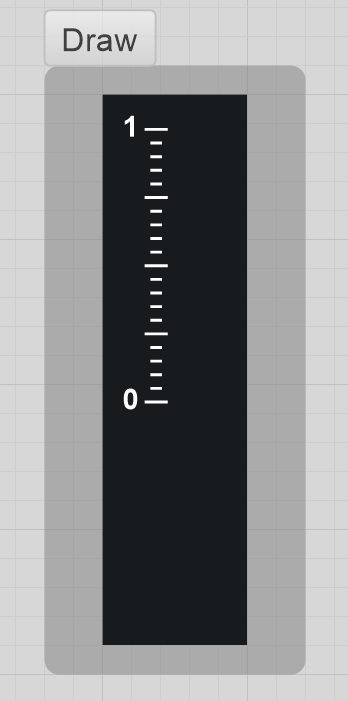
- target.png (9.64 KiB) Viewed 12926 times
Its nice, exactly what I need. But when I use it at real zoom, the lines/text looks steppy:
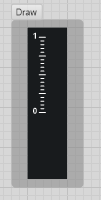
- result.png (2.23 KiB) Viewed 12926 times
I've also tried to take the bigger one, resize accordingly in Photoshop (1 point = 8pixels) and reimport as Bitmap, but more or less it is the same (even if certainly better):
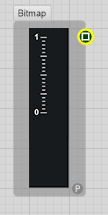
- bitmap.png (4.54 KiB) Viewed 12926 times
My question is: how would you draw this kind of "small" elements? Should I approx the drawing to 0.125 ratio? I've already tried, but nothing change. Also, how would you manage the text later? You have not control there.
Is there a sort of "smooth" function when Drawing? I believe I can draw small things

Thanks to everybody who will help me!
Re: Which are your best tips to draw "small"?
Posted: Fri Feb 19, 2016 8:10 pm
by Nowhk
Here the schematic if you want to try:
Re: Which are your best tips to draw small things?
Posted: Fri Feb 19, 2016 8:21 pm
by tulamide
Have a look at the user guide, chapter 8, drawing/smoothing
v.setSmoothingMode
Is normally activated, if you switch it off, the draw elements will be aliased, but for clear lines that's what you want. You have to use pixel accurate values then, of course (multiples of 0.125)
v.setTextRenderingHint
this is the same action, but for fonts only.
Read in the user guide about accepted values for the methods.
Re: Which are your best tips to draw small things?
Posted: Fri Feb 19, 2016 8:36 pm
by RJHollins
I'd say, trying to re-size in photoshop would not be a good idea.
I don't think there is a anti-aliasing in FS [could be wrong].
It may be possible to improve using photoshop, but it would mean:
1.screen capture your FS model
2. import into photoshop layer.
3. overlay a new ps layer, and trace over.
4. export the ps layer as bitmap for FS.
I'd do a fast test to see if there is any improvement. I have noticed that sometimes even or odd thicknesses can make
a difference. [lines either 1,2, or 3 pixels] wide.
just an idea.
EDIT .... of course, now that T has posted ... forget my post

Re: Which are your best tips to draw small things?
Posted: Fri Feb 19, 2016 10:07 pm
by Nowhk
tulamide wrote:Have a look at the user guide, chapter 8, drawing/smoothing
v.setSmoothingMode
Is normally activated, if you switch it off, the draw elements will be aliased, but for clear lines that's what you want. You have to use pixel accurate values then, of course (multiples of 0.125)
v.setTextRenderingHint
this is the same action, but for fonts only.
Read in the user guide about accepted values for the methods.
Wow. Amazing! It works like a charm. I've used setSmoothingMode in the past, forgot it. And never used that setTextRenderingHint. Thanks dude!